

SPF, DKIM & DMARC for Transactional Email
· 6 min read
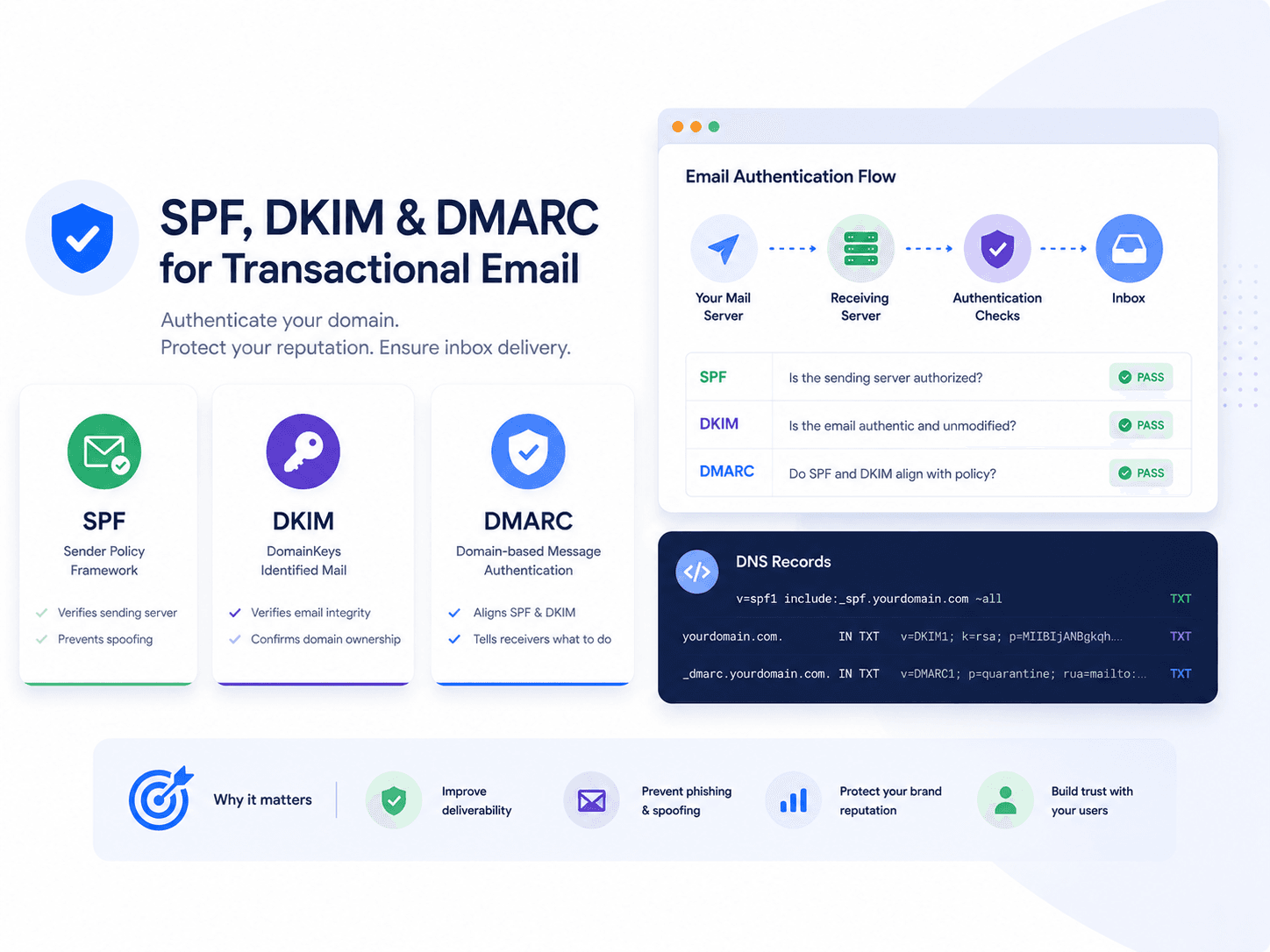
Authentication is the layer where most transactional email deliverability problems actually live. It fails silently — no error, no bounce, mail simply stops reaching inboxes — and it is the cheapest layer to fix.
This guide covers what each record does, how to configure it, and the alignment trap that makes all three pass individually while DMARC still fails. For the wider picture, see the deliverability guide.
What each one does
| Question it answers | Mechanism | Breaks on | |
|---|---|---|---|
| SPF | May this server send for this domain? | DNS list of authorised senders | Forwarding |
| DKIM | Was this message altered in transit? | Cryptographic signature | Content modification |
| DMARC | What if the first two fail? | Policy plus alignment check | Misalignment |
They are complementary rather than redundant. SPF breaks when a message is forwarded, because the forwarding server is not on your list. DKIM survives forwarding, because the signature travels with the message. DMARC requires only one of them to pass and align, which is precisely why having both matters.
SPF
SPF is a DNS TXT record listing who may send for your domain.
v=spf1 include:_spf.yourprovider.com ~all
v=spf1— version, always firstinclude:— delegates to your provider's record~all— soft fail for everything else
Three rules that cause most SPF failures:
Exactly one SPF record per domain. Two records is a permanent error, and SPF fails entirely. If you add a second provider, merge it into the existing record rather than publishing another:
v=spf1 include:_spf.provider-a.com include:_spf.provider-b.com ~all
Ten DNS lookups maximum. Each include costs at least one, and providers nest their own. Exceed ten and SPF returns a permanent error — which, again, fails silently.
Use ~all, not -all, until you are certain. A hard fail on an incomplete record blocks legitimate mail. Tighten it once DMARC reports confirm you have found every sender.
SPF authenticates the envelope sender, not the From address your recipient sees. On its own it does not prevent someone spoofing your visible From — which is what DMARC is for.
DKIM
DKIM signs each message with a private key. Receivers fetch the public key from your DNS and verify the signature, proving the message came from an authorised sender and was not modified.
Your provider gives you a public key to publish at a selector subdomain:
selector1._domainkey.yourdomain.com TXT v=DKIM1; k=rsa; p=MIGfMA0GCSq...
The selector allows several keys to coexist, which is what makes rotation and multiple providers possible.
DKIM's advantage over SPF is that the signature travels with the message, so it survives forwarding. Its requirement is that the signed content must not change — some mailing lists that append footers break DKIM for that reason.
Rotating keys: publish the new selector's record, switch signing to it, and only remove the old record once no mail signed with it is still in flight.
DMARC
DMARC is the policy layer, and it is where the actual protection comes from.
_dmarc.yourdomain.com TXT v=DMARC1; p=none; rua=mailto:dmarc@yourdomain.com; pct=100
p=— the policy:none,quarantineorrejectrua=— where aggregate reports are sentpct=— percentage of messages the policy applies to
Alignment is the part that catches people
This is the single most misunderstood aspect of email authentication, and the most common cause of a DMARC failure that looks impossible.
DMARC does not merely require SPF or DKIM to pass. It requires the domain that passed to align with the domain in the From header your recipient sees.
The classic failure: your provider sends with an envelope sender of bounces@provider.com. SPF checks provider.com, and passes. But your From header says you@yourdomain.com. The domains do not match, so SPF alignment fails. If DKIM is not signing with your domain either, DMARC fails despite both underlying checks passing.
The fix is to authenticate with your own domain: configure a custom return path (often a CNAME your provider gives you) so SPF is checked against your domain, and have DKIM sign with yourdomain.com rather than the provider's.
Authenticate once, send from anywhere
Set up your sending domain in SentFast and send transactional email from every system you run.
Get startedRolling out DMARC safely
Never start at p=reject. You will discover a forgotten system that sends as your domain by watching its mail get rejected.
| Stage | Policy | Purpose | Move on when |
|---|---|---|---|
| 1 | p=none | Collect reports, enforce nothing | Every legitimate sender is identified and passing |
| 2 | p=quarantine; pct=10 | Route a small share of failures to spam | No legitimate mail affected for two weeks |
| 3 | p=quarantine; pct=100 | All failures to spam | Reports stay clean |
| 4 | p=reject | Failures rejected outright | This is the destination |
Stage 1 is the valuable one. Aggregate reports show every source sending as your domain — and there are always more than you expected: a CRM, an invoicing tool, a monitoring system, something a former colleague configured years ago.
Reports arrive as XML. Use a DMARC report parser rather than reading them by hand.
Subdomains
Sending transactional mail from a subdomain is the standard practice, because reputation attaches per subdomain and isolates transactional from marketing.
Two things to know:
- A DMARC policy at the organisational domain applies to subdomains unless overridden with
sp=. - SPF and DKIM must be configured on the subdomain itself — they are not inherited.
mail.yourdomain.com     TXT    v=spf1 include:_spf.yourprovider.com ~all
selector1._domainkey.mail.yourdomain.com    TXT    v=DKIM1; ...
Verifying it works
Do not trust the DNS record alone. Send a real message to an address at each major provider and inspect the received headers:
Authentication-Results: mx.google.com;
       dkim=pass header.i=@yourdomain.com;
       spf=pass smtp.mailfrom=mail.yourdomain.com;
       dmarc=pass (p=NONE sp=NONE dis=NONE) header.from=yourdomain.com
Three passes, and — critically — header.i and header.from showing your domain, not your provider's. That is alignment confirmed.
Common failures
| Symptom | Likely cause |
|---|---|
| SPF permerror | Two SPF records, or more than ten DNS lookups |
| DKIM fails after forwarding | A footer or scanner modified the signed content |
| SPF passes, DMARC fails | Envelope sender is the provider domain — no alignment |
| Works at one provider, not another | Partial setup; providers weight the checks differently |
| Broke after adding a tool | New sender not in SPF, or a second SPF record was published |
Related reading
- Transactional Email Deliverability — the full picture
- How to Handle Email Bounces — the hygiene layer
- Transactional Email Best Practices — content and operations
- Transactional Email: Definition, Examples & How It Works — the core guide