

Transactional Email Best Practices: A Practical Checklist
· 5 min read
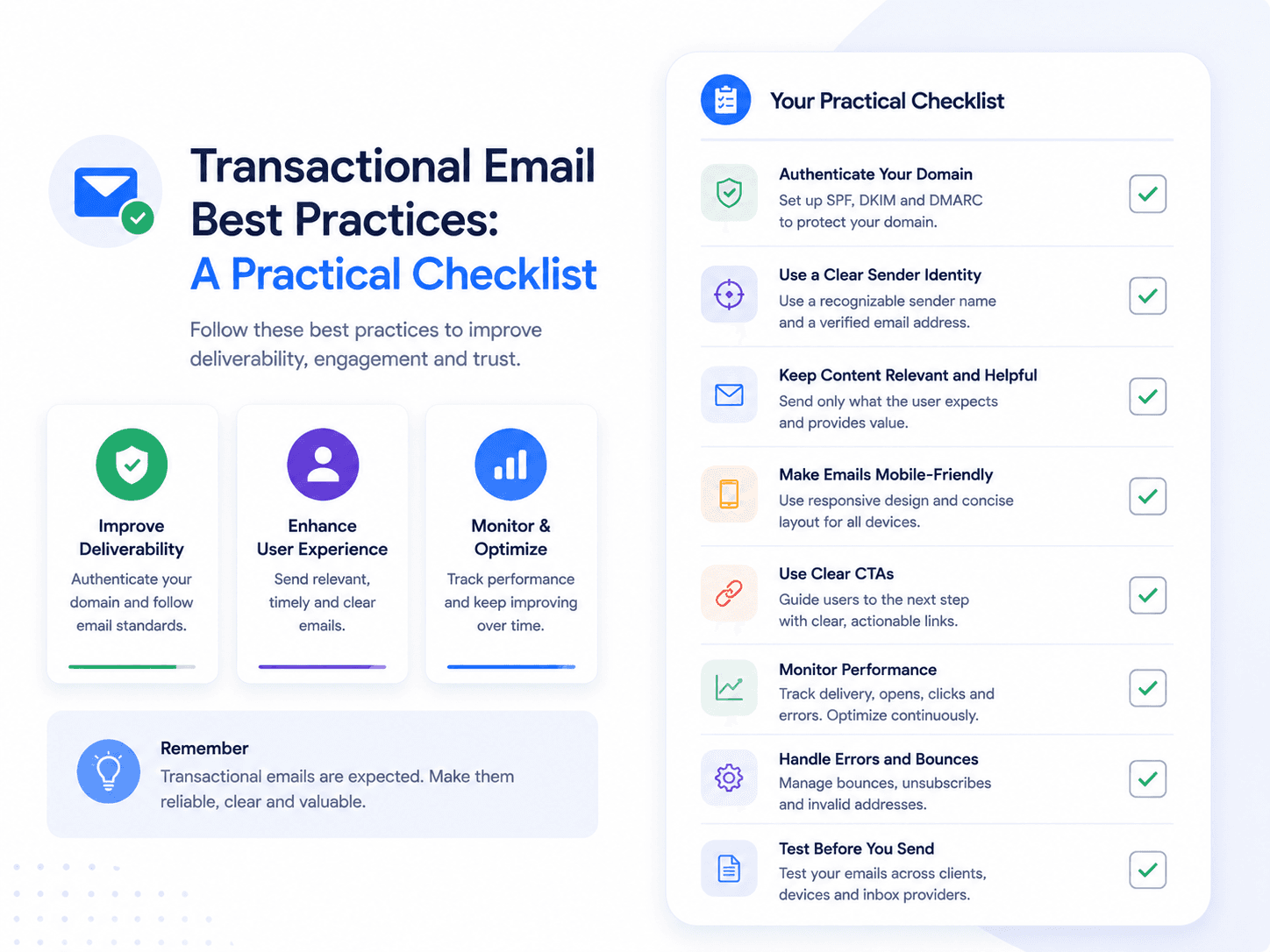
Transactional email fails quietly. Nobody reports a receipt that never arrived — they just contact support about something else, or churn. These are the practices that decide whether yours work, ordered by how much damage they prevent.
For the underlying concept, start with the transactional email guide.
Timing
Send within seconds. This is the practice that matters most and the one most often broken by architecture rather than intent. If your email dispatch sits in the same queue as batch jobs, a password reset can end up behind a report generation task.
The reason it matters: transactional email usually blocks the user mid-flow. Someone waiting for a magic link will request another one after twenty seconds, invalidating the first. Then a third. Now they have three emails, two dead links, and no way to tell which is current.
Never make the user wait on a retry. If your provider call fails, retry in the background — do not block the user's request on it.
Subject lines
Descriptive beats clever, because the recipient already expects the message. The job is recognition, not persuasion.
| Instead of | Write | Why |
|---|---|---|
| Update from Acme | Your order #4821 has shipped | Contains the identifier they will search for |
| Action required | Your payment failed — update your card by March 3 | States what and by when |
| Welcome! | Confirm your email address to finish signing up | Names the next action |
| Notification | Sara mentioned you in "Q3 planning" | Enough context to decide without opening |
Include the identifier — order number, invoice number, project name — because these emails get searched for months later. "Your receipt" is unfindable in an inbox with four thousand messages.
Content and structure
One email, one purpose. Do not attach a newsletter signup to a password reset. Beyond diluting the message, mixing promotional content into a transactional email can reclassify it as marketing, with the consent obligations that carries — see transactional vs marketing email.
Lead with what happened. The first line should state the event. The recipient scanned the subject and opened for confirmation; make them read a paragraph of preamble and they will close it.
One primary action. If there is something to do, make it one obvious button, and repeat it as a plain text link for clients that mangle buttons.
Survive blocked images. Many clients block images by default. The email must be fully comprehensible without them, which means never putting an order number, verification code or reset link inside an image.
Write a real plain-text alternative. Some clients render it, some users prefer it, and spam filters read it as a quality signal. An auto-generated version stripped of HTML tags is worse than none.
Use a monitored reply address. People reply to transactional email. noreply@ throws away a customer telling you their card was charged twice.
Fix the wording without shipping code
When templates live outside your repository, improving a subject line takes a minute instead of a release cycle.
See how it worksVariables and templates
Validate variables before sending. The template declares what it needs; the send should be checked against that. Otherwise a renamed backend field renders a literal placeholder to a real customer — and it always happens on your highest-volume template.
Provide fallbacks for optional data. "Hi," reads fine. "Hi ," does not.
Never build one template for several purposes. Sharing a template across order confirmation and shipping updates means a change made for one silently alters the other, and per-email analytics become meaningless.
Version every publish. When a customer disputes what a receipt said, you need the version that went out, not the current one.
Deliverability
Authenticate. SPF, DKIM and DMARC are mandatory for bulk senders at Gmail and Yahoo, and misconfiguration is the most common cause of transactional email silently landing in spam. Full walkthrough in SPF, DKIM & DMARC.
Separate transactional and marketing subdomains. Isolate sender reputation so a weak campaign cannot damage password reset delivery.
Suppress hard bounces immediately. Repeatedly sending to a dead address is one of the fastest ways to damage a domain's standing.
Use a consistent From name and address. Reputation accrues to a sender identity; rotating it resets your progress and looks like spoofing.
More detail in the deliverability guide.
Operations
Be idempotent. Retries happen — at the network layer, in your queue, in your own error handling. Give each triggering event a stable key, record it before dispatch, and check it on retry. A duplicate receipt is confusing; a duplicate "your payment failed" is alarming.
Log every send. Status, recipient, template version and timestamp. When a customer says "I never got it", you need to answer in seconds, and "our provider says it was delivered" is a much better answer than a shrug.
Alert on failure rates, not individual failures. One bounce is noise. A bounce rate that triples in an hour is an incident.
Never let email failure break the transaction. If the receipt cannot be sent, the order still succeeded. Dispatch asynchronously and handle failure separately.
The checklist
| Area | Check |
|---|---|
| Timing | Sends within seconds; retries never block the user |
| Subject | States the event and includes the searchable identifier |
| Content | One purpose, one action, readable with images blocked |
| Plain text | Written, not auto-stripped |
| Reply address | Monitored, not noreply@ |
| Variables | Validated before send, with fallbacks |
| Templates | One per purpose, every publish versioned |
| Auth | SPF, DKIM and DMARC configured and passing |
| Domains | Transactional separated from marketing |
| Hygiene | Hard bounces suppressed automatically |
| Idempotency | Stable event key prevents duplicates |
| Observability | Per-send logs; alerting on failure rate |
Related reading
- Transactional Email: Definition, Examples & How It Works — the core guide
- Transactional Email Examples: 15 Real-World Types — what to apply this to
- Transactional Email vs Marketing Email — why mixing them costs you
- How to Send Transactional Email — the implementation side